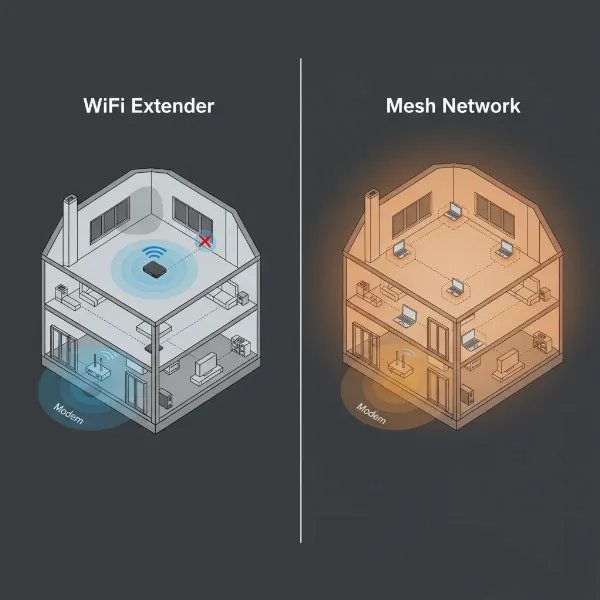
In today’s hyper-connected world, a robust and reliable Wi-Fi signal is less a luxury and more a fundamental necessity. From video calls and online gaming to smart home devices and streaming high-definition content, every corner of your home or office demands a strong internet connection. Yet, we’ve all experienced the frustration of Wi-Fi dead zones, dropped connections, and agonizingly slow speeds in certain areas. To combat these common connectivity woes, two popular solutions often emerge: Wifi Extenders and Wireless Access Points (APs). But which one is the right choice for you? This guide will dive deep into the functionalities, advantages, and drawbacks of each, helping you make an informed decision to optimize your network.
1. Understanding Wifi Extenders: What They Are and How They Work
A Wifi Extender, also commonly known as a Wi-Fi repeater or booster, is a device designed to expand the coverage area of your existing wireless network. Imagine your main router as a speaker projecting music; an extender acts like a second speaker that picks up that music, amplifies it, and then broadcasts it further into areas where the original signal struggles to reach. These devices are typically compact and plug directly into a wall outlet, making them a discreet addition to your home.
The operational principle of a Wifi Extender is straightforward. It establishes a wireless connection to your primary router, much like any other Wi-Fi device. Once connected, it receives the existing Wi-Fi signal, strengthens it using its internal antennas, and then retransmits this boosted signal. Your devices can then connect to either your original router or the extender, depending on which offers the stronger signal in their current location. While convenient, some basic extenders use the same frequency band to both receive and transmit data, which can effectively halve the available bandwidth to connected devices. More advanced dual-band extenders mitigate this by utilizing separate frequency bands (e.g., 2.4GHz for reception and 5GHz for transmission), allowing them to maintain faster speeds.
2. Understanding Wireless Access Points: What They Are and How They Function
In contrast to a Wifi Extender, a Wireless Access Point (AP) takes a different approach to extending network coverage. An AP is a networking device that connects to your existing wired network infrastructure, typically via an Ethernet cable to your router or a network switch, and then creates a new wireless network in a designated area. Think of an AP as transforming a wired network connection into a wireless one, essentially acting as a central hub for wireless devices to connect to.
The fundamental operation of an Access Point relies on a wired “backhaul” connection. Data flows from your main router through an Ethernet cable to the AP. The AP then converts this wired data into Wi-Fi signals and broadcasts them, providing full-strength wireless connectivity. Unlike a router, a standalone AP does not typically handle routing functions like assigning IP addresses (that’s still managed by your main router). Because Access Points are hardwired to the main network, they can deliver significantly more stable and faster connections compared to wireless extenders, as they avoid the signal degradation and bandwidth limitations inherent in repeating a wireless signal. Multiple APs can be strategically placed and configured to provide seamless Wi-Fi coverage across very large spaces, allowing devices to roam between them without interruption.
[image-1|wifi-extender-vs-access-point-diagram|Diagram illustrating Wifi Extender vs Access Point network setup for comparison|
An illustrative diagram showing two separate network setups: one for a Wifi Extender and one for an Access Point. The Wifi Extender setup shows a main router wirelessly connected to a Wifi Extender, which then wirelessly extends the signal to devices in a dead zone. The Access Point setup shows a main router connected via an Ethernet cable to an Access Point, which then wirelessly provides a strong signal to devices in a previously weak area. The diagram should clearly highlight the wired vs. wireless connection back to the main router.
]
3. Key Differences: Wifi Extender vs. Access Point
While both devices aim to resolve Wi-Fi dead zones, their underlying technology and performance characteristics differ significantly. Understanding these distinctions is crucial for selecting the optimal solution for your specific needs.
| Feature | Wifi Extender | Wireless Access Point (AP) |
|---|---|---|
| Connection Type | Connects wirelessly to the main router to receive and retransmit the signal. | Connects to the main router or switch via an Ethernet cable (wired backhaul). |
| Performance | May reduce bandwidth (often by 50% for single-band), increases latency, less stable. | Provides stable, full-speed connections; minimal latency impact; more reliable. |
| Network Signal | Amplifies an existing wireless signal, rebroadcasting it. | Creates a new, strong Wi-Fi signal from a wired connection. |
| Network Name | Often creates a separate Wi-Fi network name (SSID), requiring manual switching. | Can use the same SSID as the main router, enabling seamless roaming with multiple APs. |
| Coverage | Boosts a specific spot or area, limited by the strength of the incoming signal. | Provides broad, strong coverage over a wide area, highly scalable with multiple units. |
| Device Capacity | Supports fewer simultaneous connections (typically <20 devices). | Supports a high number of simultaneous connections (often 60+ devices per AP). |
| Setup | Generally plug-and-play, easy to install without technical expertise. | Requires running Ethernet cabling, more technical setup and configuration. |
| Cost | Typically lower initial cost, making it a budget-friendly option. | Higher initial cost due to cabling and device price, but better long-term value. |
Connection Type: The most fundamental difference lies in how they connect to your main network. Extenders communicate wirelessly, acting as a relay. APs, conversely, require a wired Ethernet connection to your router or network switch to function. This wired connection is often referred to as a “backhaul” and is key to an AP’s superior performance.
Performance and Speed: Because Wifi Extenders receive a signal wirelessly and then rebroadcast it, they can introduce bottlenecks. This “two-hop” process often leads to increased latency and a reduction in theoretical bandwidth, sometimes cutting speeds in half, especially if it’s a single-band device using the same radio for both receiving and sending. Wireless Access Points, with their wired backhaul, circumvent these issues, delivering the full speed and stability of your wired network wirelessly. This makes them ideal for demanding activities like 4K streaming or online gaming.
Network Architecture and Management: Extenders typically create a new network with a slightly different name (SSID), meaning your devices might not seamlessly switch between the main router and the extender. This can be inconvenient, as you may need to manually connect to the stronger signal. Access Points, particularly when part of a unified system (like a mesh network or multiple managed APs), can be configured to share the same SSID as your main network, allowing for seamless roaming as you move around your space without losing connection.
Coverage and Capacity: While an extender can expand coverage to an isolated dead zone, its effectiveness is limited by the strength of the signal it initially receives. APs, starting with a strong wired connection, can project a powerful, uncompromised Wi-Fi signal across much larger areas. They are also designed to handle a significantly higher number of connected devices simultaneously without experiencing performance degradation, making them suitable for busy households or offices.
4. When to Choose a Wifi Extender
A Wifi Extender can be a highly practical solution in specific scenarios where simplicity, cost-effectiveness, and minimal installation effort are priorities.
- Small Dead Zones: If you have just one or two isolated spots in your home where the Wi-Fi signal is weak, an extender can often provide enough boost to resolve the issue. Think of a single bedroom or a corner of the living room that struggles to connect.
- Budget Constraints: Extenders are generally more affordable than Access Points, making them an attractive option for those on a tight budget looking for a quick fix.
- No Ethernet Cabling: For homes or offices where running Ethernet cables is impractical, costly, or simply not feasible, a wireless extender offers a convenient way to extend coverage without intrusive wiring.
- Temporary Solutions: An extender can serve as an excellent temporary solution for improving Wi-Fi in a new space or during a short-term need until a more permanent networking solution can be implemented.
- Light Usage: If the extended area is primarily used for light internet activities like email, web browsing, or occasional social media scrolling, the potential speed reduction from an extender might be negligible.
Despite their advantages in ease of use and cost, it’s important to acknowledge that extenders have limitations. They can introduce a separate network, potentially leading to connection drops as devices switch. Furthermore, the inherent performance drawbacks, such as reduced bandwidth and increased latency, mean they are generally not recommended for demanding applications like competitive online gaming or streaming multiple 4K videos simultaneously.
5. When to Choose a Wireless Access Point
For those seeking superior performance, greater stability, and a more robust network, a Wireless Access Point is often the preferred choice. While requiring a bit more setup, the benefits far outweigh the complexities for larger or more demanding environments.
- Large Homes or Offices: In multi-story buildings, expansive homes, or large office spaces where a single router simply can’t provide adequate coverage, multiple Access Points can be deployed strategically to create a comprehensive, strong Wi-Fi network.
- High Device Density: If your network supports numerous devices—smartphones, laptops, tablets, smart TVs, security cameras, and IoT gadgets—an AP’s ability to handle more simultaneous connections without performance drops is invaluable.
- Critical Applications: For activities that demand consistent, high-speed, and low-latency connections, such as video conferencing, online gaming, heavy file transfers, or business-critical operations, an AP’s wired backhaul provides unmatched reliability.
- Seamless Roaming: When you want your devices to automatically switch to the strongest Wi-Fi signal as you move around a large area without interruption, multiple Access Points configured with the same SSID create a seamless roaming experience. This is common in enterprise settings but also beneficial in large homes.
- New Construction or Renovation: If you’re building a new home or undertaking a major renovation, planning for Ethernet cabling to strategic locations makes installing Access Points much simpler and ensures a future-proof network.
- Better Security: Many standalone APs, especially those designed for businesses, offer more advanced security features and centralized management capabilities than typical consumer-grade extenders, providing a more secure network environment.
“For robust, scalable, and high-performance Wi-Fi, especially in larger environments or those with high demand, a properly installed Access Point solution is unequivocally superior to a Wifi Extender.”
While Access Points require an initial investment in cabling and can have a higher upfront cost, they deliver a professional-grade wireless experience with significant long-term benefits in terms of speed, stability, and reliability.
6. Factors to Consider When Making Your Choice
Deciding between a Wifi Extender and a Wireless Access Point boils down to a thorough evaluation of your specific circumstances and priorities. Here are the key factors to weigh:
- Space Size and Layout: For a small, isolated dead zone in an otherwise well-covered area, an extender might suffice. However, for large, multi-story homes, sprawling offices, or spaces with thick walls and numerous obstacles, Access Points are far more effective at providing comprehensive and consistent coverage.
- Performance Needs: Ask yourself what you’ll be doing in the extended area. If it’s just casual web browsing and email, an extender might be adequate. If you require stable, high-speed connectivity for 4K streaming, online gaming, large file downloads, or professional work, the superior performance of an Access Point is a must.
- Wired vs. Wireless Backhaul: Can you run Ethernet cables to the areas needing better Wi-Fi? If yes, an Access Point is the optimal choice. If not, and running cables is genuinely impossible, a Wifi Extender or a mesh Wi-Fi system might be your only wireless backhaul options.
- Number of Devices: Consider how many devices will simultaneously connect to the extended network. Wifi Extenders can struggle with more than 15-20 devices, leading to slowdowns. Access Points are designed to handle significantly more clients, often 60 or more per unit.
- Budget: Extenders are typically a lower-cost entry point. Access Points, along with potential cabling costs, represent a larger investment. However, consider the long-term value: an AP often provides a more stable and reliable solution that won’t need frequent upgrades.
- Future Scalability: If you anticipate your network needs growing in the future (more devices, smart home integration, faster internet plans), an Access Point infrastructure is inherently more scalable and future-proof. Adding more APs is often straightforward, whereas adding multiple extenders can complicate your network and degrade performance.
- Ease of Setup: For a quick, minimal-effort setup, a plug-and-play Wifi Extender wins. For a more robust, integrated solution, an Access Point requires a bit more technical know-how or professional installation, especially for cabling.
[image-2|network-coverage-comparison|Visual comparison of Wifi Extender vs Access Point coverage patterns in a house|
An illustrative diagram depicting a house floor plan with a main router. One side of the house shows a Wifi Extender wirelessly extending a weakened signal to a specific room, with signal strength visibly degrading further out. The other side shows an Access Point connected via a prominent Ethernet cable to the main router, radiating a strong, full-strength Wi-Fi signal over a larger area with consistent coverage. The image should convey the difference in coverage quality and how they connect.
]
7. Installation and Optimization: Tips for Both Devices
Proper installation and optimization are key to maximizing the performance of both Wifi Extenders and Access Points.
For Wifi Extenders:
- Optimal Placement: The most critical factor for an extender is its placement. It needs to be placed within the strong signal range of your main router, not in the dead zone itself. A good rule of thumb is roughly halfway between your router and the area where you need coverage. If the extender receives a weak signal, it will only retransmit a weak signal. Many modern extenders have indicator lights to help you find the sweet spot.
- Avoid Obstacles: Place the extender away from large metal objects, thick concrete walls, and major appliances (like microwaves or refrigerators) that can interfere with Wi-Fi signals.
- Dual-Band Advantage: If you opt for an extender, a dual-band model is highly recommended. It can dedicate one band (e.g., 2.4GHz) to communicate with the router and the other (e.g., 5GHz) to communicate with your devices, significantly reducing the bandwidth penalty.
For Wireless Access Points:
- Strategic Cabling: Since APs require a wired connection, plan your Ethernet cabling carefully. Running Cat5e or Cat6 Ethernet cables through walls or ceilings to central locations in areas needing coverage is ideal.
- Central Location: Install APs in central, open locations within the desired coverage area, preferably at a higher elevation (e.g., ceiling or upper wall). Avoid placing them in closets, behind TVs, or in corners, as this can impede signal propagation.
- Power over Ethernet (PoE): Many Access Points support Power over Ethernet (PoE), which allows both power and data to be transmitted over a single Ethernet cable. This simplifies installation as you won’t need a separate power outlet near the AP. You’ll need a PoE-capable switch or injector.
- Multiple APs for Seamless Roaming: For large spaces, deploy multiple APs. When properly configured (often with the same SSID and security settings), your devices will seamlessly “roam” between them, maintaining a strong connection as you move around.
- Professional Installation: For complex environments or large deployments, consider professional installation to ensure optimal placement, cabling, and configuration for peak performance.
Conclusion
The quest for ubiquitous, high-speed Wi-Fi often leads to a crossroads: the simplicity of a Wifi Extender versus the robust performance of a Wireless Access Point. Both devices offer solutions to expand your network’s reach, but they cater to vastly different needs and expectations. Wifi Extenders provide an affordable, easy-to-install option for tackling minor dead zones, especially when running new cables isn’t an option. However, they come with compromises in speed and stability.
On the other hand, Wireless Access Points, with their wired backhaul, deliver superior performance, stability, and scalability, making them the go-to choice for larger homes, demanding applications, and business environments. While they require a more involved installation process, often including Ethernet cabling, the investment pays off with a reliable, future-proof network. Ultimately, your decision should hinge on the specific challenges you face, your performance requirements, your budget, and your willingness to invest in a more robust infrastructure. Carefully evaluate your space, your usage habits, and your long-term Wi-Fi goals before making your choice. Which solution truly aligns with your vision for a flawlessly connected environment?
Frequently Asked Questions
Can an old router be used as an Access Point?
|
Our Picks for the Best Wifi extender in 2026
As an Amazon Associate I earn from qualifying purchases.
|
||
| Num | Product | Action |
|---|---|---|
| 1 | TP-Link AC1200 WiFi Extender, 2023 Engadget Best Budget Pick, 1.2Gbps Signal Booster for Home, Dual Band 5GHz/2.4GHz, Covers Up to 1500 Sq.ft and 30 Devices,Support Onemesh, One Ethernet Port (RE315) |

|
| 2 | WiFi Extender Signal Booster for Home 2026 Internet Repeater Long Range Up to 9995 Sq. Ft. Whole Home WiFi Coverage |
|
| 3 | TP-Link WiFi Extender with Ethernet Port, Dual Band 5GHz/2.4GHz, Up to 44% More Bandwidth Than Single Band, Covers Up to 1200 Sq.ft and 30 Devices, Signal Booster Amplifier Supports OneMesh(RE220) |
|
| 4 | WiFi Extender, WiFi Extenders Signal Booster for Home Up to 5000 sq.ft and 50 Devices, WiFi Range Extender, Wireless Repeater, Long Range Amplifier with Ethernet Port, 1-Tap Setup, Alexa Compatible |
|
| 5 | TP-Link AX3000 WiFi 6 Range Extender | PCMag Editor's Choice | Dual-Band Wireless Repeater w/Ethernet Port | Up to 2400 Sq. Ft., 64 Devices | Internet Signal Booster | APP Setup | EasyMesh (RE715X) |
|
| 6 | TP-Link AC1900 WiFi Range Extender RE550 | Dual-Band Wireless Repeater Amplifier w/Gigabit Ethernet Port | Up to 2200 Sq. Ft., 32 Devices | Internet Signal Booster | APP Setup | EasyMesh Compatible |
|
| 7 | WiFi Extender Signal Booster, WiFi Booster Dual Band 5.8GHz&2.4GHz, Covers Up to 10000 Sq.ft, 1.2Gbps WiFi Repeater with One Ethernet Port, One-tap Setup |
|
| 8 | 2026 WiFi Extender Signal Booster - 2.4GHz 300Mbps WiFi Booster for Home, Covers Up to 9999 Sq. Ft, Easy Setup, Ethernet Port & Access Point, Stable Internet Performance with 60+ Devices(White) |
|
| 9 | WiFi Extender WiFi Booster 1200 Mbps Dual Band (5GHz/2.4GHz) WiFi Extenders Signal Booster for Home, Internet Extended Booster WiFi Repeater (White) |
|
| 10 | 1200Mbps WiFi Extender Signal Booster for Home, Dual Band 5GHz/2.4GHz Wireless Internet Repeater with 4 External Antennas, Covers Up to 3600 Sq.ft & Supports 80 Devices, AP Mode with Ethernet Port |
|
Yes, many old Wi-Fi routers can be repurposed as Access Points. You typically need to disable its DHCP server, assign it a static IP address within your network’s subnet, and connect one of its LAN ports to your main router’s LAN port via an Ethernet cable. This can be a cost-effective way to extend Wi-Fi coverage.
Do Wifi Extenders really cut internet speed in half?
Wifi Extenders can indeed reduce bandwidth, sometimes by as much as 50%, especially if they are single-band devices. This happens because the extender uses the same radio to both receive data from your main router and transmit it to your connected devices. Dual-band extenders can mitigate this by using separate frequency bands for these tasks, offering better performance.
Is mesh Wi-Fi better than both extenders and Access Points?
Mesh Wi-Fi systems are often considered a superior solution for whole-home coverage compared to traditional extenders and can rival multiple Access Points for convenience. They consist of multiple “nodes” that create a single, unified Wi-Fi network, offering seamless roaming and generally better performance than extenders, with easier setup than a multi-AP wired system. However, they are typically more expensive.
Can I use both a Wifi Extender and an Access Point in my network?
While technically possible, it’s generally not recommended to mix extenders and Access Points extensively, as it can complicate network management and introduce inconsistencies. It’s usually better to choose one primary strategy (either all extenders or all APs/mesh) to ensure optimal and seamless performance across your network.
What are the benefits of a dual-band Wifi Extender?
A dual-band Wifi Extender offers significant performance advantages over a single-band model. By utilizing two distinct frequency bands (2.4GHz and 5GHz), it can dedicate one band to communicate with the main router and the other to connect with your devices. This reduces congestion and the potential for bandwidth reduction, providing a faster and more stable extended Wi-Fi signal.