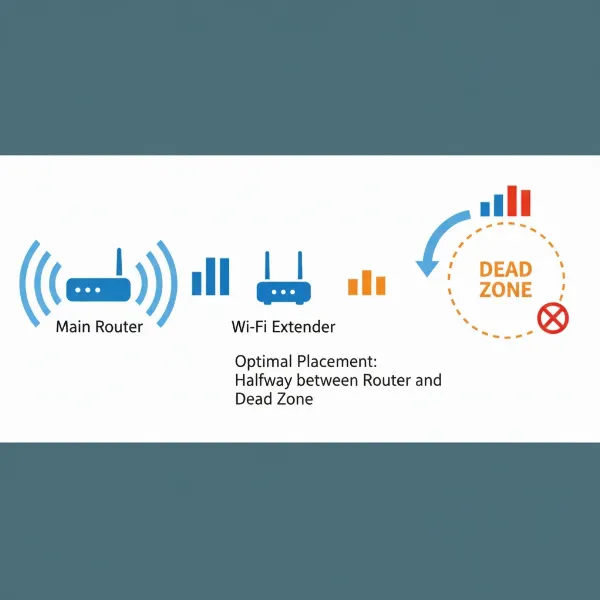
Do you ever find yourself struggling with frustrating Wi-Fi dead zones, dropped connections during video calls, or agonizingly slow speeds in certain areas of your home? It’s a common scenario in today’s connected world, where seamless internet access is no longer a luxury but a necessity. A Wi-Fi extender, also known as a Wi-Fi booster or repeater, promises to banish these connectivity woes by expanding your existing wireless network. But with so many options and conflicting opinions, the big question remains: are Wi-Fi extenders actually worth the investment? This comprehensive guide will delve into everything you need to know about these devices, helping you decide if an extender is the right solution to optimize your home internet experience.
1. What is a WiFi Extender and How Does It Work?
A Wi-Fi extender is a device designed to expand the coverage area of your existing wireless network, eliminating those pesky “dead zones” where your Wi-Fi signal is weak or non-existent. At its core, a Wi-Fi extender acts as a digital middleman. It receives the existing Wi-Fi signal from your main router, amplifies it, and then rebroadcasts this boosted signal further into your home or office. Think of it like a relay runner passing the baton to ensure the message reaches its final destination.
While often used interchangeably, the terms “extender,” “repeater,” and “booster” broadly refer to devices that enhance Wi-Fi coverage. Modern Wi-Fi extenders typically create a secondary network that seamlessly integrates with your primary network, allowing your devices to switch between the router and the extender without manual intervention, especially if they support mesh-compatible technologies. This effectively stretches your Wi-Fi’s reach without requiring additional internet service or complex cabling changes to your existing router setup.
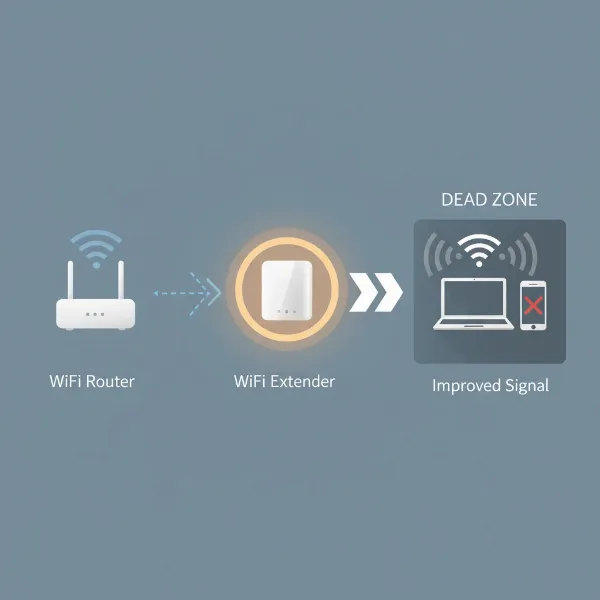 An illustrative diagram showing a Wi-Fi router emitting signals, a Wi-Fi extender placed strategically between the router and a dead zone, and devices receiving boosted signals from the extender. The background is a modern home interior with weak signal areas highlighted.
2. Benefits of Using a WiFi Extender
Investing in a quality Wi-Fi extender can bring a multitude of advantages, transforming a patchy internet experience into a consistently reliable one.
- Eliminate Dead Zones: The most significant benefit is extending Wi-Fi coverage to previously unreachable areas of your home, such as basements, attics, distant rooms, or even outdoor spaces like patios and garages.
- Improve Signal Strength and Stability: Extenders boost connectivity in areas with weak signals, leading to improved speeds and fewer disconnections. This means smoother streaming, more reliable video calls, and faster downloads.
- Cost-Effective Solution: Compared to upgrading your entire router or installing a full mesh Wi-Fi system, extenders are a significantly more affordable way to solve localized coverage issues.
- Easy Installation: Most modern range extenders feature user-friendly setup processes, often involving a simple plug-and-play approach or a WPS (Wi-Fi Protected Setup) button for quick pairing with your router. Many also come with companion apps for guided setup.
- Flexibility in Placement: Extenders are small devices that plug into standard electrical outlets, making them easy to relocate if your network needs change or you want to experiment with optimal positioning.
- Support for More Devices: With extended coverage and improved signal, more smart home devices, streaming gadgets, and computers can maintain reliable connections simultaneously.
- Upgrade to Newer Wi-Fi Standards: Some extenders support the latest Wi-Fi standards (like Wi-Fi 6 or Wi-Fi 7), allowing you to introduce these faster technologies into your network without replacing your primary router entirely, enhancing overall efficiency.
3. When Do You Need a WiFi Extender?
Deciding whether a Wi-Fi extender is right for you often comes down to identifying specific pain points in your current network setup. You likely need a Wi-Fi extender if:
- Your Home Has Multiple Floors or a Large Layout: In sprawling houses or multi-story buildings, a single router often struggles to provide consistent coverage everywhere, leading to signal degradation on distant floors or in far-off rooms.
- Thick Walls or Physical Obstructions Weaken Your Signal: Materials like concrete, brick, or even large appliances and furniture can block or absorb Wi-Fi signals, creating isolated areas with poor connectivity. An extender can bypass these barriers by picking up the signal before it’s too weak.
- You Want Wi-Fi Access in Outdoor Areas: If you enjoy working or relaxing in your backyard, on a patio, or in a detached garage, an extender can push your Wi-Fi signal beyond the confines of your main home.
- You Have Numerous Connected Devices: Modern homes are filled with smart devices, streaming boxes, gaming consoles, and personal gadgets. If your network feels congested or slows down when many devices are active, an extender can help distribute the load and improve overall performance.
- Your Router is Older, or You’re on a Tight Budget: If replacing your primary router or investing in a full mesh system isn’t feasible, an extender offers an economical way to upgrade your coverage and potentially speeds without a complete overhaul.
4. Key Factors to Consider When Choosing a WiFi Extender
Selecting the right Wi-Fi extender involves more than just picking the cheapest or most expensive model. Several technical specifications and features play a crucial role in its effectiveness and suitability for your specific needs.
Tốc độ Wifi
|
Our Picks for the Best Wifi extender in 2026
As an Amazon Associate I earn from qualifying purchases.
|
||
| Num | Product | Action |
|---|---|---|
| 1 | TP-Link AC1200 WiFi Extender, 2023 Engadget Best Budget Pick, 1.2Gbps Signal Booster for Home, Dual Band 5GHz/2.4GHz, Covers Up to 1500 Sq.ft and 30 Devices,Support Onemesh, One Ethernet Port (RE315) |

|
| 2 | WiFi Extender WiFi Booster 1200 Mbps Dual Band (5GHz/2.4GHz) WiFi Extenders Signal Booster for Home, Internet Extended Booster WiFi Repeater (White) |
|
| 3 | WiFi Extender, WiFi Extenders Signal Booster for Home Up to 5000 sq.ft and 50 Devices, WiFi Range Extender, Wireless Repeater, Long Range Amplifier with Ethernet Port, 1-Tap Setup, Alexa Compatible |
|
| 4 | TP-Link WiFi Extender with Ethernet Port, Dual Band 5GHz/2.4GHz, Up to 44% More Bandwidth Than Single Band, Covers Up to 1200 Sq.ft and 30 Devices, Signal Booster Amplifier Supports OneMesh(RE220) |
|
| 5 | 1200Mbps WiFi Extender Signal Booster for Home, Dual Band 5GHz/2.4GHz Wireless Internet Repeater with 4 External Antennas, Covers Up to 3600 Sq.ft & Supports 80 Devices, AP Mode with Ethernet Port |
|
| 6 | WiFi Extender Signal Booster for Home 2026 Internet Repeater Long Range Up to 9995 Sq. Ft. Whole Home WiFi Coverage |
|
| 7 | TP-Link AC1900 WiFi Range Extender RE550 | Dual-Band Wireless Repeater Amplifier w/Gigabit Ethernet Port | Up to 2200 Sq. Ft., 32 Devices | Internet Signal Booster | APP Setup | EasyMesh Compatible |
|
| 8 | TP-Link AX3000 WiFi 6 Range Extender | PCMag Editor's Choice | Dual-Band Wireless Repeater w/Ethernet Port | Up to 2400 Sq. Ft., 64 Devices | Internet Signal Booster | APP Setup | EasyMesh (RE715X) |
|
| 9 | WiFi Extender Signal Booster, WiFi Booster Dual Band 5.8GHz&2.4GHz, Covers Up to 10000 Sq.ft, 1.2Gbps WiFi Repeater with One Ethernet Port, One-tap Setup |
|
| 10 | 2026 WiFi Extender Signal Booster - 2.4GHz 300Mbps WiFi Booster for Home, Covers Up to 9999 Sq. Ft, Easy Setup, Ethernet Port & Access Point, Stable Internet Performance with 60+ Devices(White) |
|
The extender’s speed, typically measured in Mbps (megabits per second), should ideally match or exceed the speed of your main router and your internet plan. Opting for an extender with a lower speed rating than your router could create a bottleneck, limiting your extended network’s performance. Many modern extenders support gigabit speeds, essential for high-bandwidth activities like 4K streaming and online gaming.
Băng tần
Most extenders are dual-band, supporting both 2.4GHz and 5GHz frequencies. The 2.4GHz band offers a longer range and better wall penetration, though it’s often more susceptible to interference and provides slower maximum speeds. The 5GHz band delivers faster speeds and lower latency but has a shorter range and is more easily obstructed. For optimal flexibility and performance, a dual-band extender allows you to connect devices to the most suitable band. Some high-end models even feature tri-band support, adding a dedicated backhaul band to communicate with the router, significantly reducing speed degradation.
Phạm vi phủ sóng
Consider the square footage the extender is designed to cover. Manufacturers often specify a maximum range or recommended home size. Match this to the area you need to extend. Remember that real-world coverage can vary based on your home’s layout and building materials.
Số lượng cổng Ethernet
If you have wired devices like gaming consoles, smart TVs, or desktop PCs that need a stable, high-speed connection, choose an extender with one or more Gigabit Ethernet ports. This allows these devices to connect directly to the extender, bypassing potential wireless interference and latency.
Tính năng bổ sung
- MU-MIMO (Multi-User Multiple-Input, Multiple-Output): This technology allows the extender to communicate with multiple devices simultaneously, rather than sequentially, improving efficiency and reducing lag, especially in homes with many connected devices.
- Beamforming: This feature directs Wi-Fi signals directly towards connected devices rather than broadcasting them uniformly, resulting in stronger, more targeted connections.
- Mesh Compatibility: Some “mesh-ready” extenders can seamlessly integrate with compatible routers (often from the same brand) to create a single, unified Wi-Fi network with a single SSID, allowing devices to roam without manual switching and improving overall network efficiency.
- App-Based Management: Many extenders come with user-friendly mobile apps that simplify setup, allow you to monitor network status, and configure settings from your smartphone.
- Intelligent Signal Indicators: LEDs on the extender can help you find the optimal placement by indicating the signal strength it receives from your router.
Thương hiệu và giá cả
Stick to reputable brands known for networking equipment like TP-Link, Netgear, Linksys, and Asus. While budget-friendly options can suffice for basic needs, investing in a mid-range or high-end model often yields better performance and more advanced features for demanding users. Price ranges vary from under $30 for basic models to over $200 for premium Wi-Fi 6E/7 extenders.
5. Comparing Popular WiFi Extenders on the Market
Choosing the right Wi-Fi extender can be challenging with numerous models available. Here’s a comparison of some popular options, highlighting their key features to help you make an informed decision.
| Product Name | Brand | Wi-Fi Standard | Max Speed (Combined) | Bands | Coverage (Sq. Ft.) | Ethernet Ports | Key Features | Price Range | Pros | Cons |
|---|---|---|---|---|---|---|---|---|---|---|
| TP-Link RE715X | TP-Link | Wi-Fi 6 | AX3000 (3 Gbps) | Dual-band | ~1,500-2,000 | 1x Gigabit | OneMesh, Adaptive Path Selection, App Ctrl | $100-$130 | Excellent speeds, Wi-Fi 6, Mesh-compatible | Can be pricey |
| Netgear EAX17 AX3000 | Netgear | Wi-Fi 6 | AX1800 (1.8 Gbps) | Dual-band | ~1,500-2,000 | 1x Gigabit | Smart Roaming, Universal Comp. | $80-$100 | Good speeds, wide compatibility, Mesh-ready | Might block adjacent outlets |
| TP-Link RE315 | TP-Link | Wi-Fi 5 | AC1200 (1.2 Gbps) | Dual-band | ~1,500 | 1x Fast Eth. | OneMesh, Signal Indicator | $25-$40 | Very affordable, easy setup, budget-friendly | Limited speed, smaller coverage, Fast Eth. port |
| Netgear Nighthawk EAX80 | Netgear | Wi-Fi 6 | AX6000 (6 Gbps) | Dual-band | ~2,500+ | 4x Gigabit | MU-MIMO, Beamforming, Smart Roaming, App | $200-$250 | Top-tier speeds, ideal for gaming/streaming, 4x Gig. ports | Most expensive, bulky design |
Note: Speeds are theoretical maximums. Real-world performance may vary.
6. How to Install and Optimize Your WiFi Extender
Setting up a Wi-Fi extender is generally a straightforward process, even for those new to networking hardware. Most manufacturers offer two primary methods:
Method 1: Using the WPS Button (Wi-Fi Protected Setup)
This is often the quickest way to connect your extender to your router.
- Placement: Plug your extender into an electrical outlet near your main Wi-Fi router. Wait for its power indicator light to turn on.
- Pairing: Press the WPS button on your main router, then quickly press the WPS button on your Wi-Fi extender (usually within two minutes).
- Confirmation: Wait for an indicator light on the extender to signal a successful connection (often a solid green or blue light).
- Relocate: Once paired, unplug the extender and move it to your desired location, ideally halfway between your router and the Wi-Fi dead zone.
Method 2: Using the Extender’s Web Interface or App
If your router doesn’t have a WPS button, or you prefer more control, use this method.
- Plug In: Plug the extender into an outlet near your router.
- Connect: On your computer, tablet, or smartphone, connect to the extender’s default Wi-Fi network (the name and password are usually printed on the device or in the manual).
- Access Setup: Open a web browser and navigate to the setup page (e.g.,
tplinkrepeater.net,mywifiext.net, or an IP address like192.168.0.250). - Follow Prompts: The on-screen wizard will guide you through selecting your existing Wi-Fi network, entering its password, and creating a new network name (SSID) for the extended network (or choosing to use the same SSID if mesh-compatible).
- Relocate: After setup, move the extender to an optimal location.
Tips to Optimize Performance:
- Optimal Placement is Key: Position the extender roughly halfway between your main router and the area needing extended coverage. Ensure the extender still receives at least 50% signal strength from your router.
- Avoid Obstacles: Keep the extender away from thick walls, large metal objects, microwaves, cordless phones, and other devices that can cause interference.
- Maintain Height: Ideally, place the extender at a similar height to your router for better signal propagation.
- Firmware Updates: Regularly check for and install firmware updates from the manufacturer to ensure optimal performance, security, and compatibility.
- Test Performance: Use a speed test tool in different areas of your home to verify the effectiveness of the extender and fine-tune its placement if necessary.
7. Where to Purchase a WiFi Extender
Wi-Fi extenders are widely available both online and in physical retail stores, offering convenience and a broad selection.
- Online Retailers: Major e-commerce platforms like Amazon, Best Buy, and Walmart offer an extensive range of Wi-Fi extenders from various brands. Online shopping often provides competitive pricing, detailed product descriptions, and customer reviews to aid your decision.
- Electronics Stores: Stores such as Best Buy, Target, and other local electronics retailers typically stock popular models. Shopping in-store allows you to see the devices firsthand and consult with sales associates.
- Home Improvement Stores: Surprisingly, stores like The Home Depot also carry a selection of networking equipment, including Wi-Fi extenders, often from leading brands.
When purchasing online, always verify the seller’s reputation, check their return policy, and compare prices across different platforms. Look for deals and promotions, especially around holidays.
8. Buying Guide: Making the Right WiFi Extender Choice
Navigating the world of Wi-Fi extenders can feel complex, but by focusing on a few critical aspects, you can confidently choose the best device for your needs.
- Determine Your Budget: Wi-Fi extenders range from under $30 for basic models to over $200 for high-performance, mesh-compatible units. Define how much you’re willing to spend, keeping in mind that mid-range options often offer the best balance of features and value.
- Identify Your Specific Needs: Are you aiming to eliminate a single dead zone, boost speeds in a particular room for gaming, or extend coverage to a large outdoor area? Your primary objective will dictate the required speed, range, and features.
- Check Compatibility: While most modern extenders are universally compatible with routers, it’s always wise to ensure the extender supports your router’s Wi-Fi standard (e.g., Wi-Fi 5/802.11ac, Wi-Fi 6/802.11ax). If you have a mesh-compatible router, look for an extender from the same brand to leverage seamless roaming features.
- Read User Reviews: Customer reviews offer invaluable real-world insights into a product’s performance, ease of setup, and reliability. Pay attention to common complaints or praises regarding signal stability and actual speed improvements.
“A Wi-Fi extender can be a game-changer for homes plagued by inconsistent Wi-Fi, offering a practical and often budget-friendly solution to coverage gaps without the need for a complete network overhaul.” – David Chen, Network Solutions Architect.
Ultimately, a Wi-Fi extender’s worth is subjective and depends heavily on your unique situation. For localized dead zones or smaller areas needing a boost, they are often a highly effective and economical choice. However, for whole-home seamless coverage in very large or complex environments, a mesh Wi-Fi system might be a more robust, albeit more expensive, alternative.
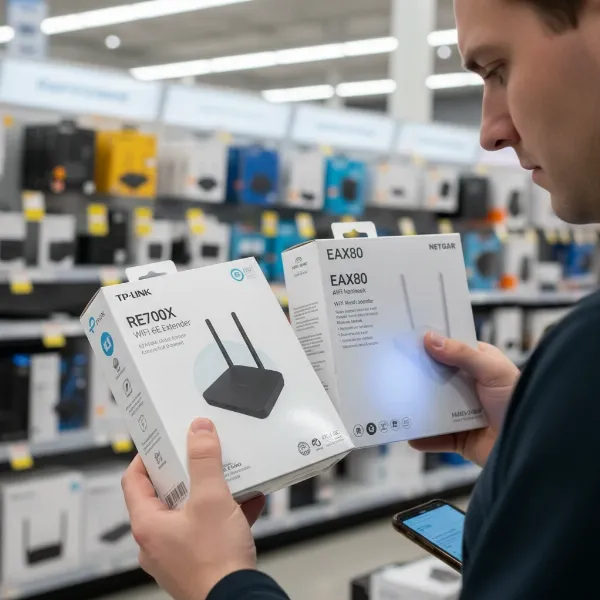 A person thoughtfully examining various Wi-Fi extender boxes in a modern electronics store aisle, highlighting choices and decision-making for network improvement. The person holds a smartphone, possibly comparing specs.
Conclusion
Wi-Fi extenders offer a compelling solution for many common home networking frustrations, providing a straightforward and cost-effective way to extend your wireless signal and eliminate frustrating dead zones. While they may not be the ideal choice for every scenario—especially if you require ultimate speed and seamless whole-home coverage in vast spaces—for targeted signal boosts, improving connection stability, and making the most of your existing router, they prove to be a worthwhile investment.
By carefully considering your home’s layout, existing router capabilities, and specific connectivity needs, you can select an extender that brings reliable Wi-Fi to every corner of your living space. Are you ready to say goodbye to Wi-Fi dead zones and embrace a fully connected home?
Frequently Asked Questions
Does a WiFi extender slow down internet speed?
A Wi-Fi extender can sometimes reduce overall internet speed, particularly if it’s an older “repeater” type that uses a single band to both receive and retransmit the signal, effectively halving the bandwidth. Modern dual-band or tri-band extenders, especially those with dedicated backhaul or mesh compatibility, are designed to minimize this speed degradation by optimizing how they communicate with your router. Proper placement is also crucial; an extender placed too far from the router will receive a weak signal, leading to slower extended speeds.
Can I use any WiFi extender with any router?
Most Wi-Fi extenders are designed to be universally compatible with any standard Wi-Fi router. However, for the best performance and to utilize advanced features like seamless roaming or a unified network name (OneMesh, AiMesh, etc.), it’s often recommended to choose an extender from the same brand as your router, or one that explicitly states compatibility with mesh features. Always check the extender’s specifications for supported Wi-Fi standards (e.g., Wi-Fi 5, Wi-Fi 6).
Where is the best place to put a WiFi extender?
The optimal placement for a Wi-Fi extender is approximately halfway between your main router and the Wi-Fi dead zone you want to eliminate. It needs to be close enough to your router to receive a strong, stable signal to rebroadcast effectively, but also close enough to the problem area to extend coverage there. Avoid placing it near thick walls, large metal objects, microwaves, or cordless phones, as these can interfere with the signal. Many extenders have indicator lights to help you find the best spot.
What’s the difference between a WiFi extender and a Mesh WiFi system?
A Wi-Fi extender typically picks up your router’s signal and rebroadcasts it, often creating a separate network name you might need to manually switch to. While effective for specific dead zones, it can sometimes lead to reduced speeds. A Mesh Wi-Fi system, on the other hand, uses multiple interconnected nodes (including a main router and satellite units) to create a single, seamless Wi-Fi network that covers your entire home. Devices automatically connect to the strongest signal as you move, offering superior whole-home coverage, reliability, and speed, but usually at a higher cost.
Can a WiFi extender improve my internet speed for gaming?
A Wi-Fi extender can improve your gaming experience by providing a stronger, more stable connection in areas where your router’s signal is weak, thus reducing lag and disconnections. However, extenders work by repeating signals, which can introduce some latency (ping), potentially impacting highly competitive online gaming. For the best gaming performance, a wired Ethernet connection to your router or a powerful mesh Wi-Fi system is generally preferred. If using an extender, look for models with Gigabit Ethernet ports and features like MU-MIMO to minimize latency.